
01
Choose your time
Decide when you want to put your phone down and which apps must remain available.
Trufa blocks nighttime distractions and shows you the estimated time you stopped interacting with this phone each morning.
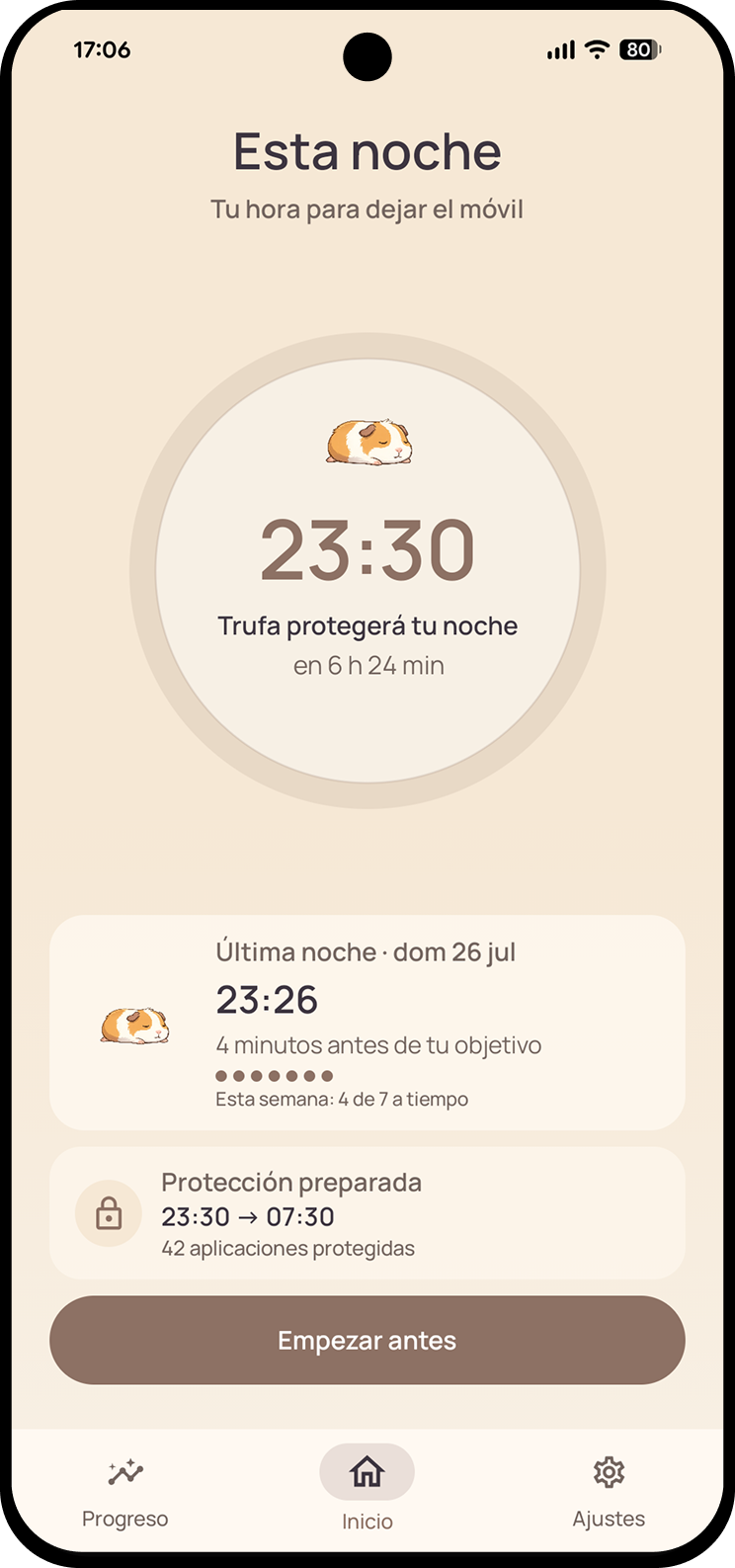
An alarm only reminds you. Trufa protects the time you already chose and turns the following morning into a clear result.
Decide when you want to put your phone down and which apps must remain available.
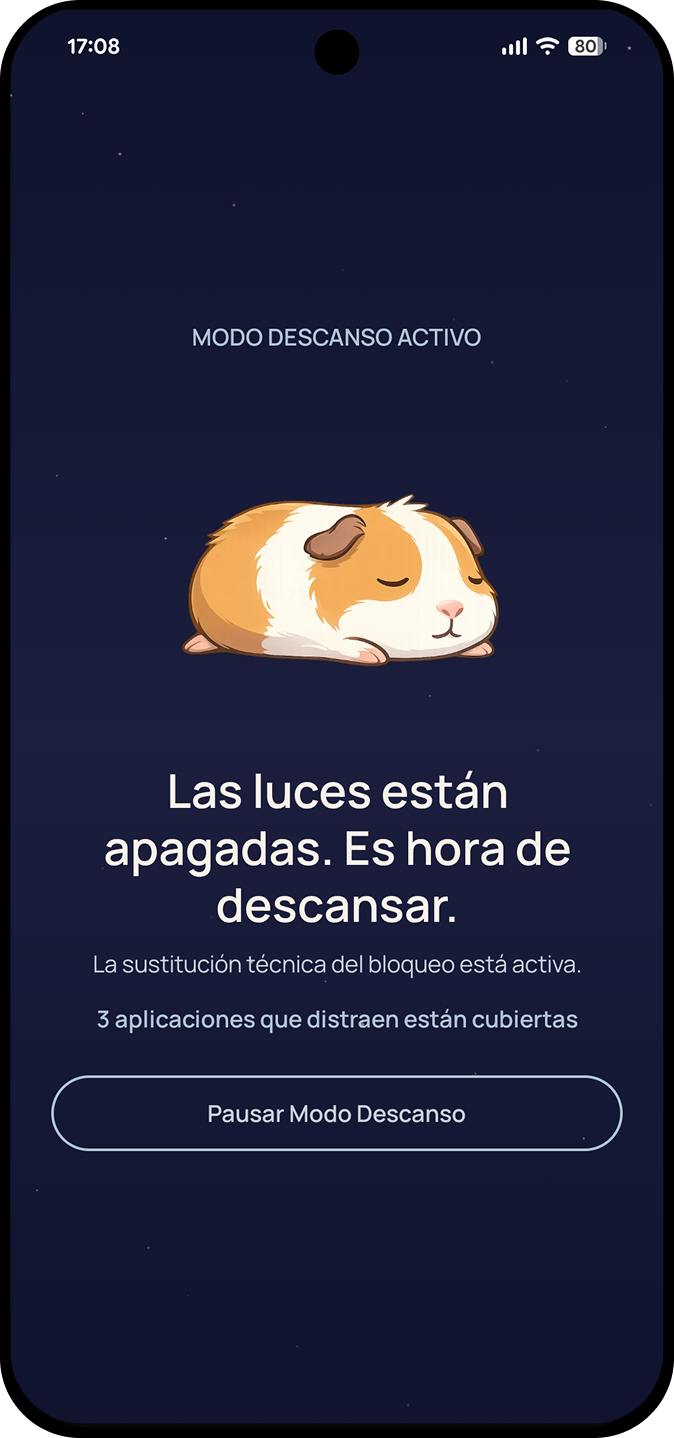
At that time, non-essential apps are blocked. Phone calls, alarms and emergency access remain available.
In the morning, see your estimated disconnection time and activity after your target.
Trufa blocks non-essential apps by default during your chosen window. If you need to pause, the decision stays deliberate: reason, wait and confirmation.
Trufa does not measure sleep. It analyses interaction with this device to estimate when you actually put your phone down and how your week is changing.
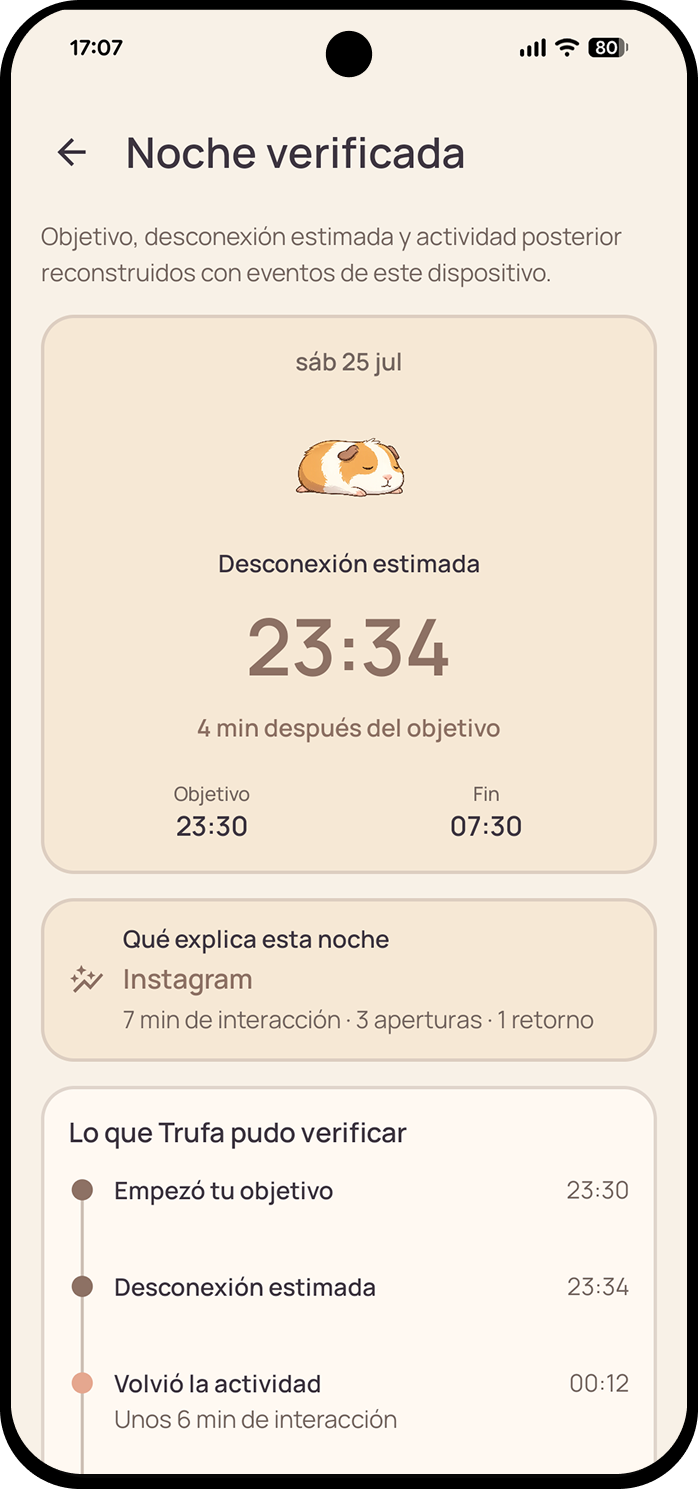
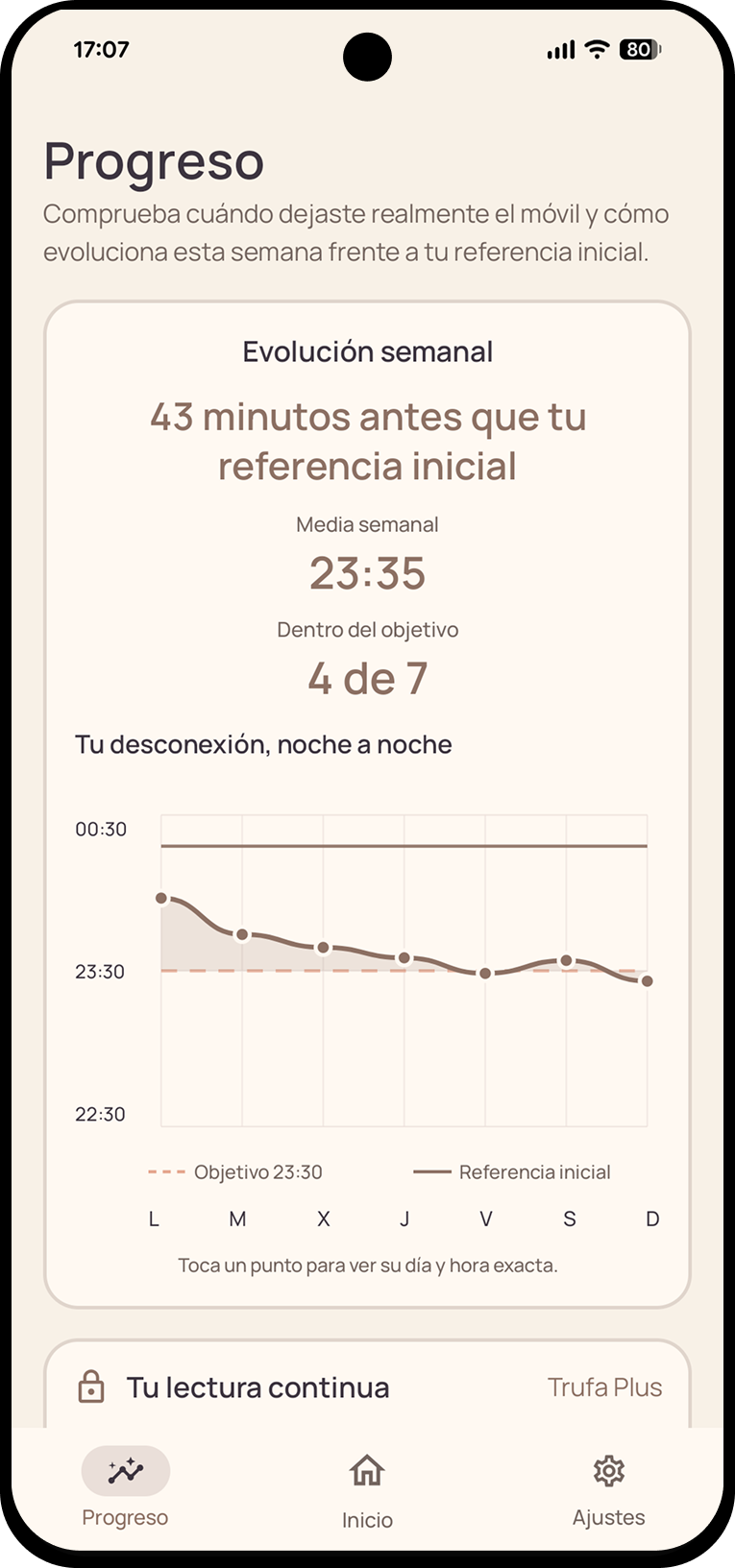 Verified nightWeekly evolution
Your schedule, essential apps, sessions and aggregate results stay on this device. Detailed events are processed temporarily and are not stored.
Read the privacy policyNo. Trufa does not measure sleep or physiological activity. It estimates when you stopped interacting with this phone using signals available on Android.
Accessibility detects which app you try to open during protection. Usage Access provides interaction evidence for reconstructing the result. Trufa does not read app content.
Yes. Phone calls, alarms, emergency access, system settings and the essential apps you choose remain available.
No. Complete night protection is part of free Trufa. Trufa Plus adds more history, patterns and context.
Settings lets you delete your history or all local data. Uninstalling Trufa also removes its data from the device.
Trufa is getting ready to arrive on Google Play.